
50% OFF – Offer valid only today: , ,
Filter by Categories

Everything About: "Process"

Discover all the spreadsheets and articles we have on "Process"

Streamline your operations with our collection of ready-to-use spreadsheets tailored to the process you need. Enhance your workflow by accessing professional and customizable templates that are just a click away. Boost your productivity and efficiency by utilizing our instant download feature. Don’t waste time creating spreadsheets from scratch when you can get a bundle perfectly suited for your needs. Take control of your tasks and projects with our user-friendly and editable spreadsheets. Make your work easier — get our spreadsheet bundle today!

Tip

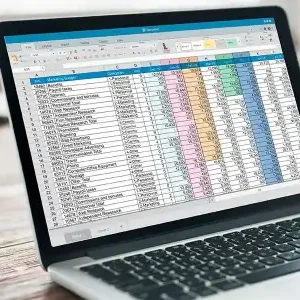
How can I extract only the numbers from a cell?

Want to retrieve just the numbers from a cell in Excel? Easily sift through your data to extract only the numerical values without the extra characters. Discover efficient methods to clean up your cells and focus solely on the digits you need. With these tricks, managing numerical data in Excel

Read more »
Tip

What’s the trick to using INDEX and MATCH together?

Looking to master the art of combining INDEX and MATCH functions in Excel? Learn the powerful technique that lets you fetch data dynamically without VLOOKUP limitations. Discover the flexibility and precision this dynamic duo offers, allowing you to retrieve data efficiently. Get ready to enhance your Excel skills and streamline

Read more »
Tip

How do I find the position of a specific value in a list?

Wondering how to pinpoint the exact location of a specific value in a list? Let’s uncover the secrets of finding that needle in the haystack within your Excel spreadsheet. Discover how to locate the position of a particular value effortlessly and efficiently. Never lose track of crucial data points again

Read more »
Tip

How do I return the last value in a column?

Ready to uncover the secret to finding the last value in a column in Excel? Whether you’re a beginner or a seasoned spreadsheet pro, this guide will show you the ropes. Let’s dive in and explore how to effortlessly retrieve that final data point with ease. No more endless scrolling

Read more »
Tip

How do I write a formula to calculate percentages?

Calculating percentages in Excel is a breeze once you get the hang of it! With a few simple formulas, you can crunch those numbers in no time. Don’t worry; we’ll guide you through the process step by step so you can master this useful skill effortlessly. Let’s dive in and

Read more »
Tip

How do I sum only visible cells in Excel?

Looking to tally up only the visible data in Excel without including the hidden cells? We’ve got you covered! Learn how to sum just the visible cells in your spreadsheet to get accurate totals effortlessly. Say goodbye to manual calculations and hello to a more efficient way of working with

Read more »
Tip

How do I quickly clear all filters from a sheet?

Looking to swiftly clear all filters from your Excel sheet? We’ve got you covered with a handy trick that will save you time and hassle. Say goodbye to navigating through multiple menus just to remove filters. Streamline your workflow with this quick and efficient solution. Let’s dive in and declutter

Read more »
Tip

How can I combine data from multiple sheets instantly?

Looking to merge data swiftly from various sheets in Excel? Say no more! With a few clicks, you can effortlessly combine information from multiple sheets into one cohesive dataset. Let’s dive into this Excel wizardry and revolutionize how you handle your data!

Read more »
Tip

How can I freeze multiple header rows?

Looking to keep your headers in view while scrolling? Learn how to freeze multiple rows in Excel for easy navigation and organization. Say goodbye to constantly losing track of your column titles or important data – we’ve got you covered with a simple step-by-step solution. Master the art of freezing

Read more »
Tip

What’s the trick to selecting entire data tables quickly?

Want to speed up data handling in Excel? Master the art of selecting entire data tables swiftly. Save time and frustration by discovering the trick to select large sets of data in just a few clicks. Streamline your workflow and boost productivity with this essential Excel skill. Say goodbye to

Read more »
Tip

How do I quickly link data between sheets?

Looking to effortlessly connect data across multiple Excel sheets? Learn how to swiftly link and sync data between sheets in this handy guide. Don’t waste time manually copying and pasting — streamline your workflow and boost efficiency with these simple techniques. Discover the power of linking data between sheets to

Read more »
Tip

How can I remove all blank columns at once?

Looking to tidy up your Excel sheet quickly? Get ready to declutter effortlessly by learning how to remove all those pesky blank columns at once. Say goodbye to unnecessary gaps and hello to a more organized workspace with this nifty trick. Let’s dive in and streamline your data in no

Read more »